
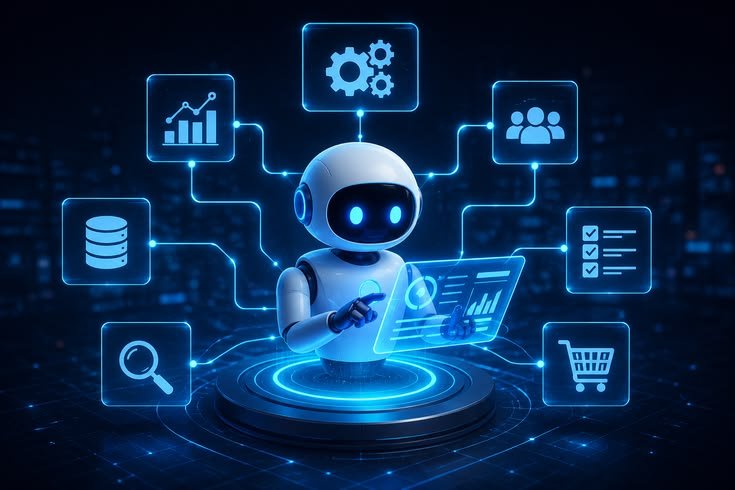
Artificial Intelligence is no longer limited to large technology companies. Small businesses can also use AI automation to reduce repetitive work, improve customer service, organize information, and make daily operations more efficient.
Small businesses often operate with limited staff and resources. Owners and employees may handle multiple responsibilities at the same time, including marketing, customer support, sales, administration, accounting, scheduling, and operations. Because of these limitations, repetitive tasks can consume valuable time.
AI automation can help small businesses handle some of these tasks more efficiently. The goal is not to automate every part of a business. Instead, businesses can identify repetitive processes where AI can provide practical value while keeping people responsible for important decisions.
What Is AI Automation?
AI automation combines Artificial Intelligence with automated workflows.
Traditional automation follows predefined rules. For example, when a customer submits a form, the system may automatically send an email.
AI automation can go further by analyzing information and helping determine what action should happen next.
For example, an AI system could read a customer message, identify its topic, and send it to the appropriate department or provide a suitable response.
This combination can help small businesses automate processes that previously required manual work.
Why Small Businesses Need AI Automation
Small businesses often have fewer employees than large organizations.
One person may handle several roles. The business owner might manage sales, marketing, customer service, finances, and operations.
This can make repetitive work a significant burden.
AI automation can help reduce the time spent on routine activities.
When employees spend less time on repetitive tasks, they can focus more on customers, business development, product improvements, and strategic planning.
AI for Customer Support
Customer support is one of the easiest areas for small businesses to explore AI automation.
Customers often ask similar questions about prices, products, opening hours, delivery, returns, availability, and services.
An AI chatbot can answer common questions using approved business information.
If a customer asks a complex question, the system can transfer the conversation to a human representative.
This creates a combination of automated assistance and human support.
Automated Email Responses
Email communication can take considerable time.
AI tools can help classify incoming messages and generate draft responses.
For example, a business could use AI to identify whether an email relates to sales, customer support, billing, or general inquiries.
The system could then suggest an appropriate response or send an approved automated message.
Important emails should still receive human review.
AI for Lead Management
Small businesses often receive leads through websites, social media, advertisements, and contact forms.
Manually reviewing every lead can be time-consuming.
AI can help categorize leads based on information provided by potential customers.
For example, an AI system could identify whether someone is asking about pricing, requesting a product demonstration, or looking for customer support.
The business can then prioritize leads that require immediate attention.
AI Sales Assistance
Sales teams can use AI to organize customer information and prepare follow-up communication.
AI can summarize previous conversations and generate draft sales messages.
This can help employees avoid repeatedly reviewing long communication histories.
However, sales employees should review AI-generated messages to ensure that they accurately represent the company’s products and services.
AI for Marketing
Marketing is another area where small businesses can benefit from AI automation.
AI can assist with:
- Content ideas
- Social media drafts
- Email campaigns
- Product descriptions
- Customer research
- Marketing reports
- Advertisement variations
For example, a small online store can use AI to create initial product descriptions and social media content.
Employees can then review and customize the material before publishing.
Automated Social Media Workflows
Managing social media accounts can be repetitive.
AI can help generate content ideas, draft posts, summarize engagement information, and organize publishing schedules.
Businesses can combine AI with scheduling software to create a more efficient content workflow.
However, businesses should avoid publishing AI-generated content without review.
Social media communication represents the brand, so accuracy and tone matter.
AI for Appointment Scheduling
Businesses such as consultants, salons, clinics, repair services, and professional offices often manage appointments.
AI-powered scheduling systems can help customers find available times and book appointments.
Automated reminders can also reduce missed appointments.
This can save employees from manually exchanging messages to arrange every meeting.
AI for Data Entry
Data entry is a common repetitive business task.
AI can help extract information from documents, forms, invoices, emails, and other sources.
For example, an AI system could read information from an invoice and organize the relevant fields.
Employees can then verify the extracted information.
Automation can reduce manual typing while maintaining human review for important records.
AI for Document Processing
Small businesses may deal with contracts, invoices, receipts, forms, reports, and other documents.
AI can help classify documents, summarize content, extract important information, and organize files.
This can make document management easier.
For example, a business could use AI to identify invoice numbers, dates, amounts, and supplier information.
Important financial or legal documents should always be reviewed by appropriate professionals.
AI for Bookkeeping Support
AI can assist with some bookkeeping-related workflows.
It may help categorize transactions, organize receipts, extract invoice information, and identify unusual entries.
This can reduce manual administrative work.
However, AI should not replace qualified accounting professionals when businesses require accounting advice, tax planning, financial reporting, or regulatory compliance.
Human review remains important.
AI for Inventory Management
Businesses that sell physical products need to track inventory.
AI can analyze sales data and identify purchasing patterns.
It may help estimate future demand or identify products that are selling faster or slower than expected.
This information can support inventory planning.
However, predictions are not guarantees. Businesses should consider seasonal changes, supplier problems, market conditions, and other factors.
AI for Order Management
Online stores receive orders that need to be processed and tracked.
AI automation can help organize order information and send status updates.
Customers can receive automated notifications about order confirmation, shipping, and delivery.
This reduces the amount of manual communication required from employees.
AI for Employee Onboarding
Hiring a new employee involves paperwork, training, and communication.
AI can help organize onboarding information and answer routine questions about company procedures.
A business could create an internal AI assistant that helps new employees find approved information.
Human managers should remain responsible for important training and employee decisions.
AI for Internal Knowledge
Small businesses often store information across documents, emails, cloud folders, and different software systems.
Employees may waste time searching for information.
An AI-powered internal knowledge system can help employees find information using natural language.
For example, an employee could ask where a particular company procedure is located and receive a response based on approved documents.
Access permissions should be configured carefully to prevent unauthorized information exposure.
AI for Scheduling and Task Management
Business owners often have multiple deadlines and appointments.
AI productivity tools can help organize tasks, summarize project information, identify priorities, and manage schedules.
This can reduce administrative work.
However, AI recommendations should not automatically determine business priorities. Owners and managers need to consider business goals and real-world circumstances.
AI for Website Content
Small businesses often need website pages, FAQs, product descriptions, and educational content.
AI can help create initial drafts.
For example, a local service business can use AI to draft frequently asked questions about its services.
Employees can then edit the content to ensure that information is accurate and specific to the business.
AI for Market Research
Market research can be expensive and time-consuming.
AI can help organize publicly available information, summarize research material, compare competitors, and identify common customer questions.
Small businesses can use these insights to generate ideas for products, services, or marketing campaigns.
Important business conclusions should be based on verified information rather than AI-generated assumptions.
AI for Customer Feedback
Customer reviews and feedback can contain useful information.
AI can analyze large numbers of comments and identify recurring themes.
For example, a restaurant might analyze reviews to identify common complaints about service speed or menu options.
An online store could analyze customer feedback to identify problems with product quality or delivery.
This can help businesses identify areas for improvement.
AI Workflow Automation
AI automation becomes more powerful when different applications are connected.
For example:
Customer submits a form → AI analyzes the request → Information is added to a customer system → Employee receives a notification → Customer receives an automated confirmation.
This type of workflow can reduce manual steps.
Small businesses should begin with simple workflows and gradually automate more complex processes.
Choosing the Right AI Automation Tools
Small businesses should not choose software only because it is popular.
Before adopting an AI automation tool, consider:
- The specific problem it solves
- Ease of use
- Cost
- Integration options
- Security
- Privacy
- Reliability
- Customer support
- Usage limits
- Scalability
A simple tool that solves one important problem may be more valuable than a complex platform with features the business never uses.
Start With One Process
One of the biggest mistakes small businesses can make is trying to automate everything immediately.
Instead, identify one repetitive task.
For example, automate appointment reminders or customer FAQ responses.
Measure the results.
If the workflow saves time and works reliably, consider expanding automation to another area.
This gradual approach reduces risk.
Protect Customer and Business Data
AI automation may involve customer information, business documents, and other sensitive data.
Small businesses should understand how an AI platform stores and processes information.
Avoid entering sensitive data into systems that have not been properly evaluated.
Businesses should also limit user permissions and use strong account security.
Human Oversight Is Important
AI automation should not remove human responsibility.
Employees should review important outputs and monitor automated workflows.
For example, an AI chatbot may provide incorrect information. A document-processing system may extract an incorrect number. A sales assistant may generate an inappropriate message.
Businesses need processes for identifying and correcting these problems.
Measuring the Results
Small businesses should measure whether automation is actually useful.
Possible measurements include:
- Hours saved
- Customer response time
- Number of automated tasks
- Error rates
- Customer satisfaction
- Operating costs
- Employee workload
- Sales conversion rates
The goal is not to maximize automation. The goal is to improve business performance.
Common Mistakes
Small businesses should avoid several common mistakes.
First, do not automate a process that is already inefficient.
Second, do not use AI without understanding data privacy.
Third, do not trust AI output without appropriate review.
Fourth, avoid paying for expensive software before testing whether it provides real value.
Finally, do not automate customer communication so aggressively that customers lose access to human assistance.
The Future of AI Automation for Small Businesses
AI automation is likely to become easier and more accessible.
Future tools may allow small businesses to connect multiple applications and automate more complex workflows without requiring advanced programming skills.
AI assistants may also become more capable of understanding business information and helping employees perform daily tasks.
However, businesses will still need to manage privacy, security, accuracy, and human oversight.
Conclusion
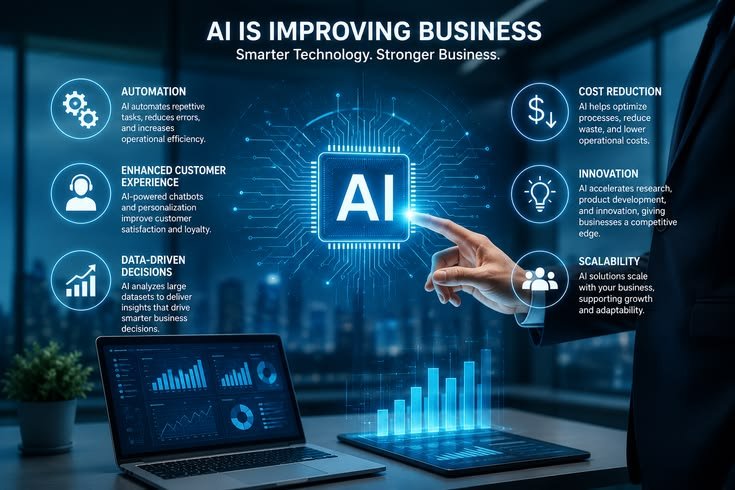
AI automation can provide small businesses with practical ways to save time, improve customer service, organize information, and reduce repetitive work.
Businesses can use AI for customer support, email management, sales, marketing, scheduling, document processing, inventory, bookkeeping support, market research, and internal knowledge management.
The best approach is to start with simple, repetitive, low-risk tasks and measure the results.
AI should support employees rather than remove human judgment from important business activities. With proper planning, employee training, data protection, and human oversight, small businesses can use AI automation to improve efficiency without creating unnecessary complexity.
The businesses that benefit most from AI will not necessarily be those that automate the largest number of tasks. They will be the ones that identify the right problems, select suitable tools, and use automation where it creates measurable value.



Leave a Reply